.png&w=3840&q=75)
How to Buy Robux with GCash in the Philippines (UPDATED 2026)
By: Julie
10 Jun 2026
Last updated: June 2026
Filipino Roblox players can buy Robux with GCash in 2026 through four main routes. On a web browser, GCash is now available directly on the official Roblox checkout. On Android, GCash links directly to Google Play and charges through the Roblox app. On iPhone, GCash links to an Apple ID for the same result. For players who want to skip the official markups and get up to 25% off standard prices, GPDS Game Shop remains the best option, accepting GCash, Maya, GrabPay, and QRPH with 1 to 5 minute delivery and no account login required.
This guide covers the most effective ways to purchase Robux, ranked by speed, price, and overall value, ensuring a secure transaction for every user in the Philippines.
What Is Robux and Why Do Filipino Players Buy It?
Robux is the official currency of Roblox, used to unlock avatar items, game passes, private servers, and exclusive in-experience content. The Philippines has one of the most active Roblox communities in Southeast Asia, with millions of players across all age groups spending regularly on limited-time drops, character upgrades, and premium events.
Previously, Filipino players had limited options for direct e-wallet payments. However, the system has improved significantly. Today, GCash is available directly on the official Roblox website checkout, works natively through Google Play on Android and Apple ID on iPhone, and is widely accepted by trusted PH-based platforms like GPDS Game Shop (which offers Roblox gift card codes at better peso prices than the official stores).
All GCash-Compatible Ways to Buy Robux in the Philippines (2026)
|
Method |
GCash Works? |
Price |
Delivery |
Best For |
|
GPDS Game Shop |
Yes — direct GCash checkout |
Up to 25% off official price |
1 to 5 minutes |
Best peso value + PH support |
|
Roblox Official Website |
Yes — direct browser checkout |
Official standard price |
Instant |
PC/Browser users wanting official direct top-up |
|
Google Play (Android) |
Yes — linked to Google Play |
Official price + app store fee |
Instant |
Android users who want fast in-app checkout |
|
Apple App Store (iOS) |
Yes — linked to Apple ID |
Official price + app store fee |
Instant |
iPhone users who want fast in-app checkout |
Method 1: Buy Robux with GCash via GPDS Game Shop (Best Peso Value)
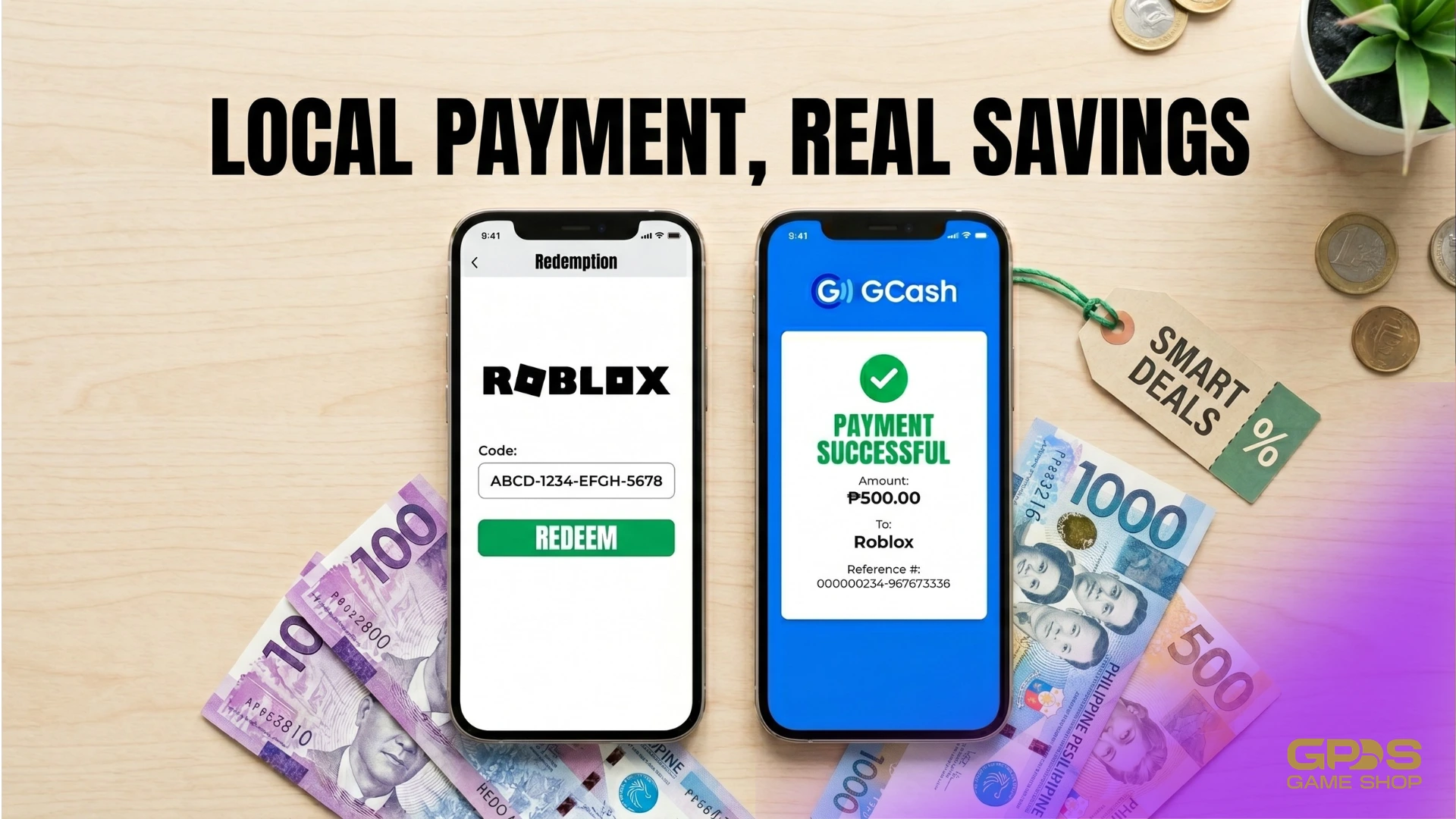
GPDS Game Shop stands as the premier destination for Filipino Roblox players prioritizing value and localized service. Instead of buying direct, GPDS Game Shop sells official Roblox gift card codes delivered by email, redeemable at roblox.com/redeem. GCash is accepted directly at checkout, no account linking required.
How to buy Robux at GPDS Game Shop:
-
Visit GPDS Game Shop — Roblox Gift Card and select the Robux gift card amount.
-
Enter a valid email address for code delivery.
-
Choose GCash (or any other preferred payment method) at checkout.
-
Complete the payment and save the transaction ID.
-
Receive the Roblox gift card code by email.
-
Log into the correct Roblox account and go to roblox.com/redeem.
-
Enter the code. The Robux balance updates immediately.
GPDS takes 1 to 5 minutes for delivery because every order goes through manual verification by a PH-based team before the code is released. This prevents errors.
For players who need Robux within seconds, the official website or app stores are faster. But for players who buy regularly and want the best peso rate, GPDS Game Shop saves meaningfully over time.
|
🎮 Roblox Top-Up Robux and Gift Cards in 1 to 5 minutes, no platform tax. Pay with GCash, no credit card needed. Username-only. |
Get Robux → |
Method 2: Buy Robux with GCash via the Official Roblox Website (Browser)
Roblox now officially supports GCash directly on its website checkout for players accessing the game via desktop, laptop, or mobile browser. This bypasses the app store and allows you to pay straight from your e-wallet.
How to buy Robux using GCash on the browser:
-
Open your web browser (Chrome, Safari, Edge, etc.) and go to roblox.com. Log into your account.
-
Click the gold Robux icon at the top right of the screen and select Buy Robux.
-
Choose the Robux package or subscription you want to purchase.
-
Under the payment options, select GCash (this is usually processed through Roblox’s secure payment partners like Xsolla).
-
Click Continue. You will be redirected to a GCash payment portal.
-
Enter your GCash mobile number to receive an OTP, or open your GCash app to scan the provided QR code.
-
Authorize the payment. The Robux will be credited to your account instantly.
What to watch out for: Buying directly from the website avoids the extra fees charged by Apple and Google app stores, making it cheaper than mobile in-app purchases. However, you will still be paying the standard official retail rate.
Method 3: Buy Robux with GCash via Google Play (Android)
This is the most direct official route for Android users. Google Play supports GCash as a verified payment method in the Philippines. Once linked, GCash charges automatically every time Robux is purchased through the Roblox app (no card needed).
How to link GCash to Google Play:
-
Open the Google Play app and tap the profile icon in the top-right corner.
-
Go to Payments & subscriptions, then select Payment methods.
-
Tap Add payment method and choose GCash.
-
Tap Authorize and enter the 6-digit OTP sent to the GCash-registered mobile number.
-
Once confirmed, GCash is set as an active Google Play payment method.
How to buy Robux using GCash on Android:
-
Open the Roblox app and tap the gold Robux icon at the top of the screen.
-
Select a Robux package or subscription plan.
-
Confirm GCash is the selected payment method.
-
Tap Buy and authorize with biometrics or Google account password.
-
A Google Play receipt arrives by email. Robux appear in the account immediately.
What to watch out for: Google Play applies a platform service fee on top of the base Robux price. The final peso amount charged to GCash will be higher than the Robux bundle's listed price. Always check the total on the checkout screen before tapping Buy.
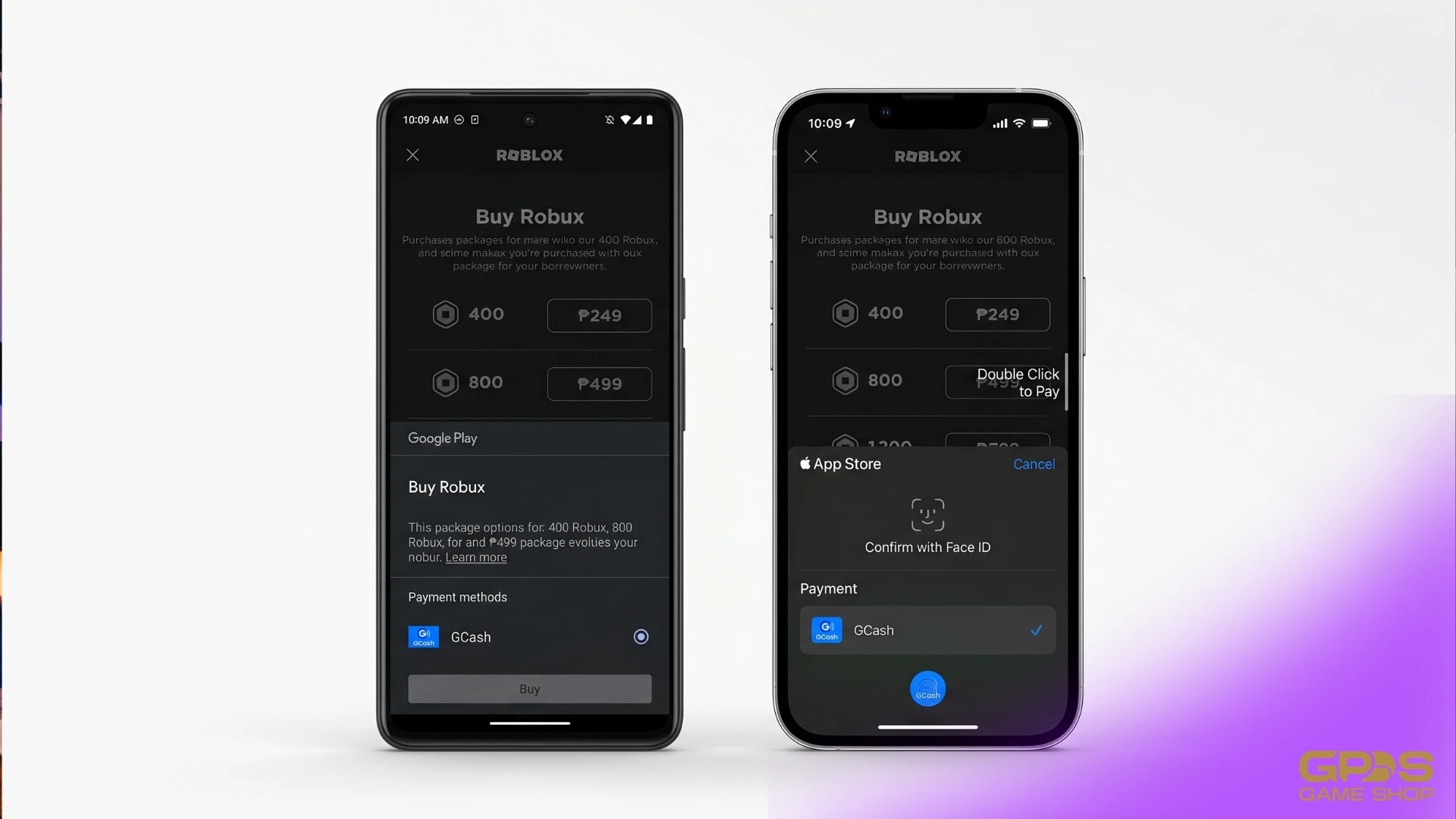
Method 4: Buy Robux with GCash via Apple App Store (iPhone)
iPhone users can link GCash to their Apple ID and use it to pay for Robux inside the Roblox iOS app. The process goes through Apple's payment system, so GCash is charged automatically once linked.
How to link GCash to Apple ID:
-
Open the Settings app and tap the Apple ID name at the top.
-
Select Payment & Shipping, then Add Payment Method.
-
Choose GCash and follow the on-screen steps to authorize the link.
How to buy Robux using GCash on iPhone:
-
Open the Roblox app and tap the gold Robux icon.
-
Select a Robux package.
-
Confirm GCash is the active payment method.
-
Complete the purchase. Robux appear instantly after Apple confirms payment.
What to watch out for: The Apple App Store applies a higher platform service fee on in-app purchases than Google Play. The total charged to GCash will be noticeably higher than the base Robux price shown. Check the final PHP total on the payment screen before confirming.
How to Confirm Robux Were Delivered
Whether buying through Google Play, the App Store, or GPDS, confirming delivery takes seconds.
Check the Robux balance. Open Roblox on any device and look at the gold Robux icon at the top of the screen. The number shown is the current balance. After a successful purchase or redemption, it updates within seconds.
Check the transaction log. On the Roblox website, go to the account menu and open Transactions. Every Robux credit, including gift card redemptions, appears here with a timestamp.
How to Stay Safe When Buying Robux with GCash
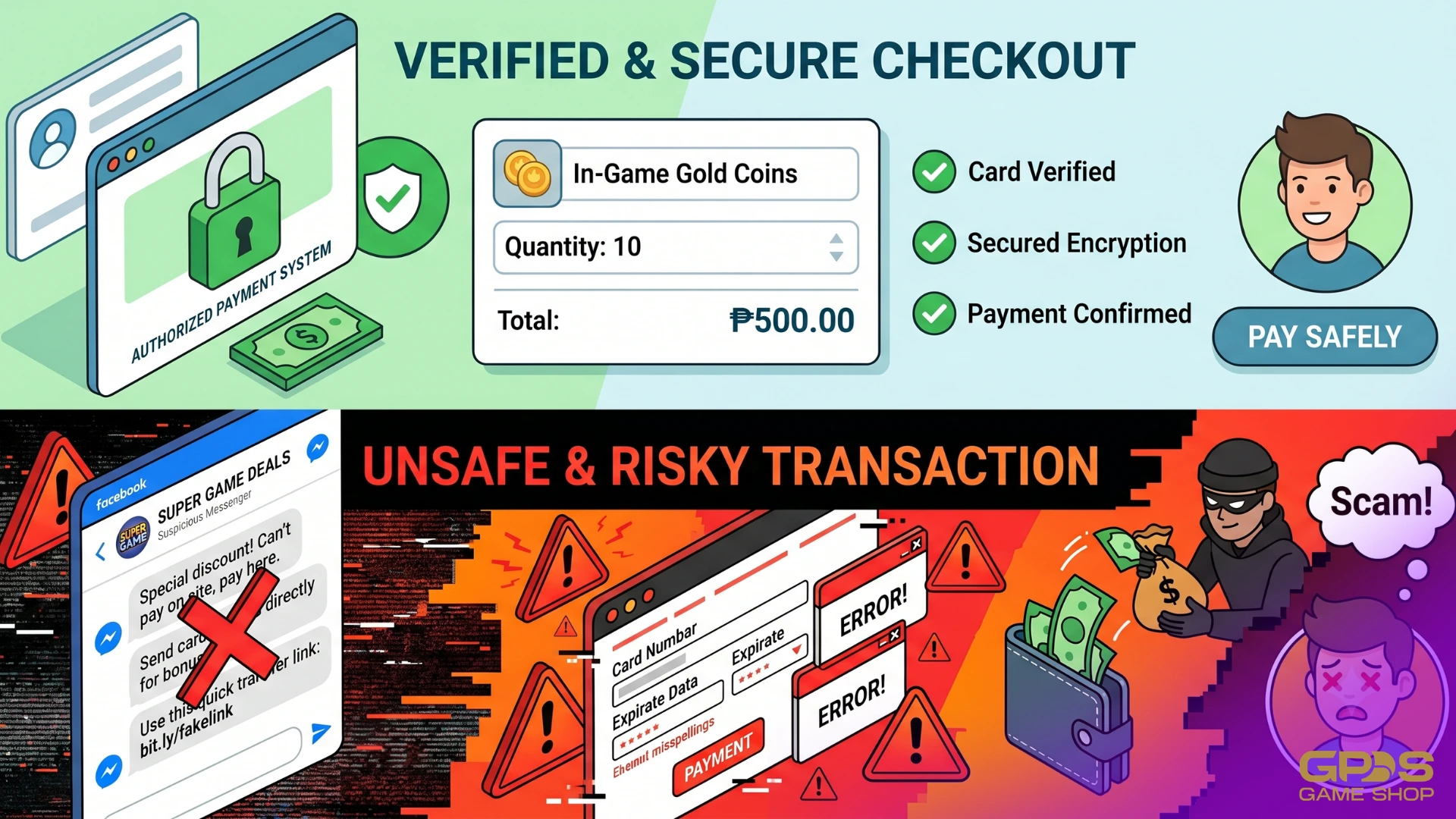
Roblox scams targeting Filipino players are common on Facebook groups and informal marketplaces. These are the rules that prevent the most common mistakes:
-
Never share a Roblox password or OTP. Legitimate platforms and gift card sellers only need an email address for code delivery. Any seller asking for a Roblox login, a one-time password, or a Facebook/Google account credential is attempting to steal the account.
-
Avoid informal Facebook sellers with no public business presence. Most Roblox GCash scams in the Philippines follow the same pattern: payment is sent, then the seller blocks the buyer. Always use platforms with a verifiable Trustpilot profile and a published business address or named founder.
-
Verify the site loads over HTTPS. Before entering any GCash payment details on a top-up website, check that the URL begins with https:// and that a padlock icon is visible. Skip any site that does not pass this check.
-
There is no such thing as free Robux. Any website, Facebook post, or YouTube video offering free Robux in exchange for account details or a small payment is a scam. The only way to get Robux is to pay for them through a legitimate channel.
Why GPDS Game Shop Is the Best Way to Buy Robux in the Philippines
GPDS consistently wins for Filipino Roblox players who prioritize value. Here is the full breakdown:
-
Up to 25% off official prices. App stores apply a platform markup on every Robux purchase. GPDS removes that markup and passes the savings to the buyer instead, with bigger bundles offering the best per-Robux rate.
-
FX-tied daily PHP pricing. Prices update every day based on the live USD-to-PHP rate. When the peso strengthens, buyers automatically pay less. App stores price in USD and do not adjust for exchange rate movements.
-
GCash accepted directly. No account linking, no workaround. GCash, Maya, GrabPay, QRPH, Visa, Mastercard, PayPal, Wise, and USDT are all accepted at checkout. The full PH payment stack in one place.
-
Manual verification before every delivery. A real Philippines-based team reviews each order before releasing the code. Mistakes get caught before the buyer is affected, unlike fully automated systems where errors only surface after delivery.
-
Real support almost around the clock. WhatsApp at wa.me/639774541147 from 6 AM to 4 AM PHT, handled by PH-based staff. If something goes wrong with an order, there is always a real person to contact.
-
Seven years of verified track record. Founded by Angelo "bhadzki" Leoncio in 2018, GPDS has a 4.3 out of 5 Trustpilot rating with publicly verifiable reviews across multiple years of operation.
Frequently Asked Questions
Can GCash be used to buy Robux directly in the Philippines?
Yes. On Android, GCash links to Google Play and pays for Robux directly inside the Roblox app. On iPhone, GCash links to an Apple ID for the same result. Both app store routes are instant. GPDS Game Shop also accepts GCash directly at checkout for Roblox gift card codes, redeemable at roblox.com/redeem, typically at a better peso rate than either app store.
What is the cheapest way to buy Robux with GCash in the Philippines?
GPDS Game Shop offers up to 25% off official rates, with PHP prices tied to the live exchange rate and updated daily. The Google Play and App Store routes add a platform markup on top of the base Robux price. Buying larger Robux bundles gives the best per-Robux rate on any method.
Is it safe to buy Roblox gift cards from GPDS Game Shop?
Yes. GPDS Game Shop has operated since 2018, holds a 4.8 out of 5 Trustpilot rating, and has a publicly named founder and Philippines-based support team. The platform delivers gift card codes by email and never asks for a Roblox account password or OTP. Every order is manually reviewed before the code is released.
What happens if GCash is not showing as a payment option in Google Play?
Make sure the GCash account is fully verified (KYC-verified) before attempting to link it. Unverified GCash accounts are not eligible for Google Play payments. If GCash is verified but still not appearing, try clearing the Google Play app cache or relinking the wallet through the Payments & subscriptions menu.
What should I do if my payment via GCash fails?
If a payment fails, ensure that the GCash wallet has sufficient funds and that the connection is stable. If the problem persists, contact the GPDS Game Shop support team via WhatsApp for assistance with the transaction.
Can parents use GCash to buy Robux for their kids through GPDS?
Yes. A parent can complete an order on GPDS Game Shop using their own GCash account. The gift card code is delivered to the email address entered at checkout and can be passed to the child to redeem at roblox.com/redeem. No Roblox account login is required during the purchase, keeping the child's credentials private.
Final Thoughts
Buying Robux with GCash in the Philippines comes down to one question: speed or price? For immediate delivery at any time, using GCash on the official Roblox website or linking it to your mobile app store is the most direct route. For the best peso value — up to 25% off with no app store markup, GPDS Game Shop is the clear choice, delivering gift card codes in 1 to 5 minutes with direct GCash support and daily FX-tied pricing.
Both approaches are safe when used correctly. The key is using verified platforms, keeping your Roblox password private, and always confirming the correct account is logged in before making a purchase or redeeming a code.
You Might Also Like


Secure Shopping
Encrypted and trusted payment process.
Fast and Instant Delivery
Top-ups are processed quickly after confirmation.
Customer Support
Available 6am - 4am PHT daily.
100% Customer Satisfaction
Reliable and customer-first service.